GitDeploy Pro
GitDeploy Pro
Command every deployment from one desktop hub
Coordinate Git workflows, terminals, SSH sessions, database ops, and release automation for any language stack directly inside GitDeploy Pro.
Features
Git + Deploy Workflow
Sync repos, compare branches, and now pop entire Deploy or Git tabs into separate windows so you can watch multiple environments while pushes run.
Database Studio
Connect to local phpMyAdmin or remote MySQL/MariaDB, browse schemas, and launch the full SQL workspace in its own floating window for dedicated monitoring.
Integrated Terminal
Use detachable local PowerShell or SSH terminals with command presets, combo-box insertion, and broadcast mode to inject text into every open terminal without auto-running it.
Direct Upload & Rollback
Push single files or mapped folders, see live transfer progress, roll back instantly, and pop the Direct Upload board to another screen while FTP Explorer runs alongside.
FTP Explorer
Plan uploads, manage hidden files, handle quick select / clear toggles, and download with resume + conflict dialogs that match modern IDEs.

Nitron Team
Creators of GitDeploy Pro“We needed one Windows tool that covers Git, servers, terminals, and databases. GitDeploy Pro is that control center.”
Docs snapshot
Desktop-native toolkit for Git deploys
Each workspace tab inside the WPF app is built for a deployment workflow: from cloning repos and configuring remotes to opening a SQL editor or direct-uploading hotfix files. Documentation lives inside the product, but here’s a quick look at the main modules.
Git + History
Stage, commit, and push with inline diff viewing and a history timeline.
- Init or clone repos and wire remotes.
- Push button guidance for clean vs dirty trees.
- History details window for comparing releases.
Deploy & Direct Upload
Bundle files, run scripted tasks, or mirror an entire mapped folder via SSH/SFTP.
- Pre/post deploy hooks with status logging.
- Rollback button tied to History page checkpoints.
- Direct Upload tab with Path Mapping support, crash recovery, and live per-file progress.
Database Studio
MySQL/MariaDB browser with schema caching plus SQL IntelliSense.
- Quick schema refresh & table previews.
- AvalonEdit SQL editor with autocomplete.
- Saved connection profiles + localhost shortcut.
Terminal Control
Detachable PowerShell/SSH terminal with rich ANSI color parsing.
- Local profile auto-connect + Ctrl+C passthrough.
- Font tuning, clear screen, multi-connection list.
- Pop-out window synced with main workspace.
Screenshots
Explore the app UI
Fresh captures from the current WPF build running on Windows 11. Each screen mirrors the modules you’ll use daily.
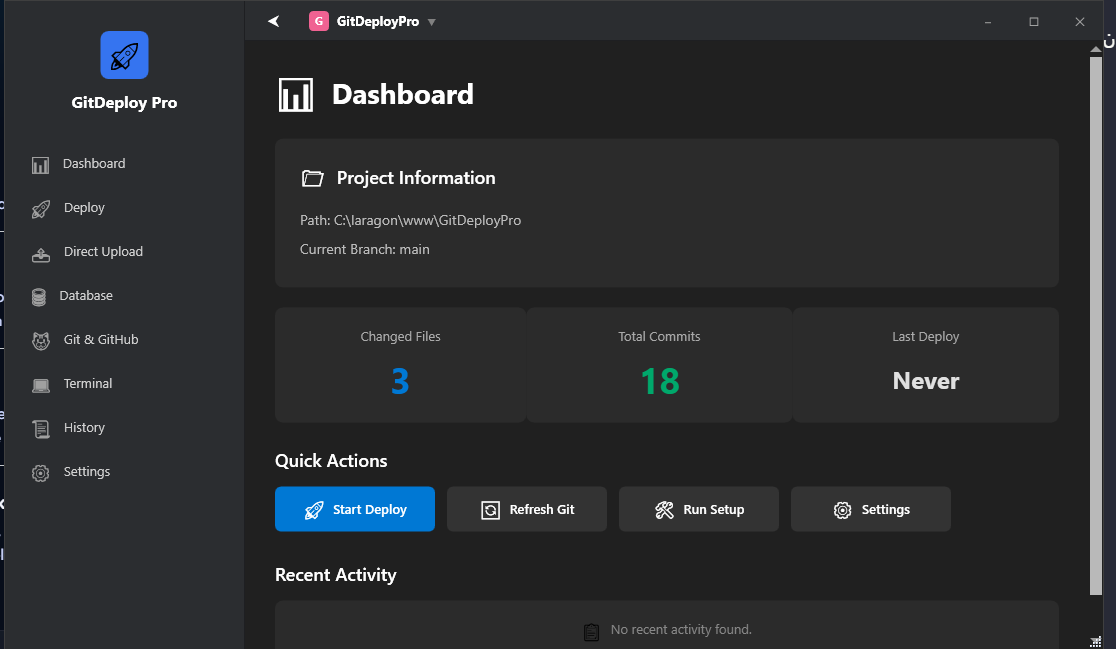
Dashboard & quick actions: repo status, environment health, and primary shortcuts.
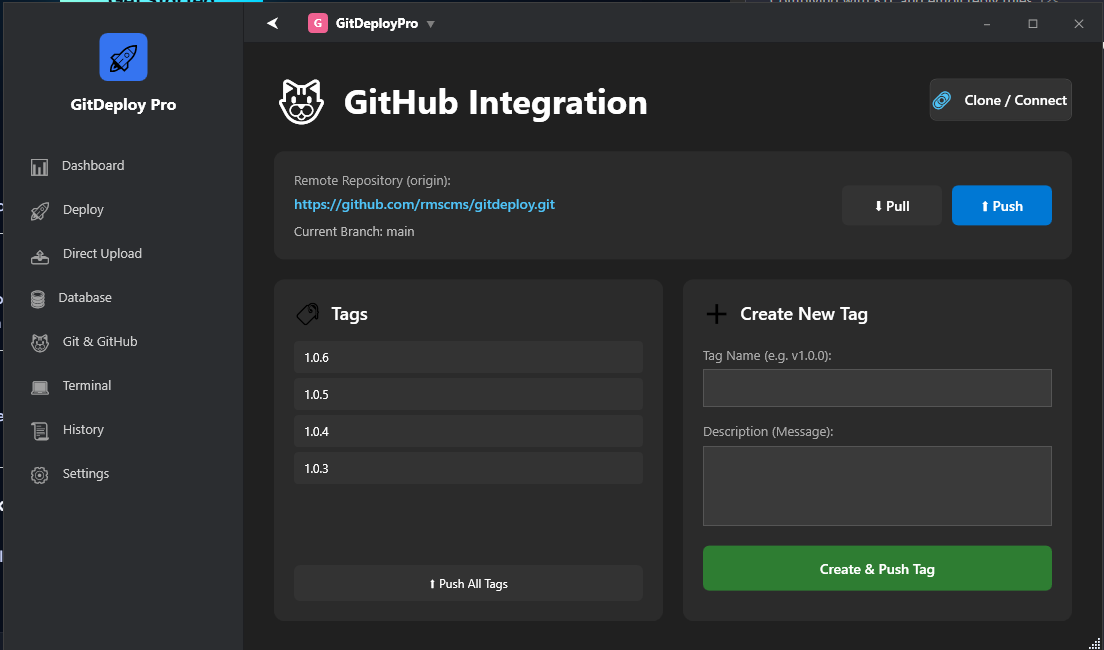
Git configuration wizard showing remotes, SSH key guidance, and auth helpers.
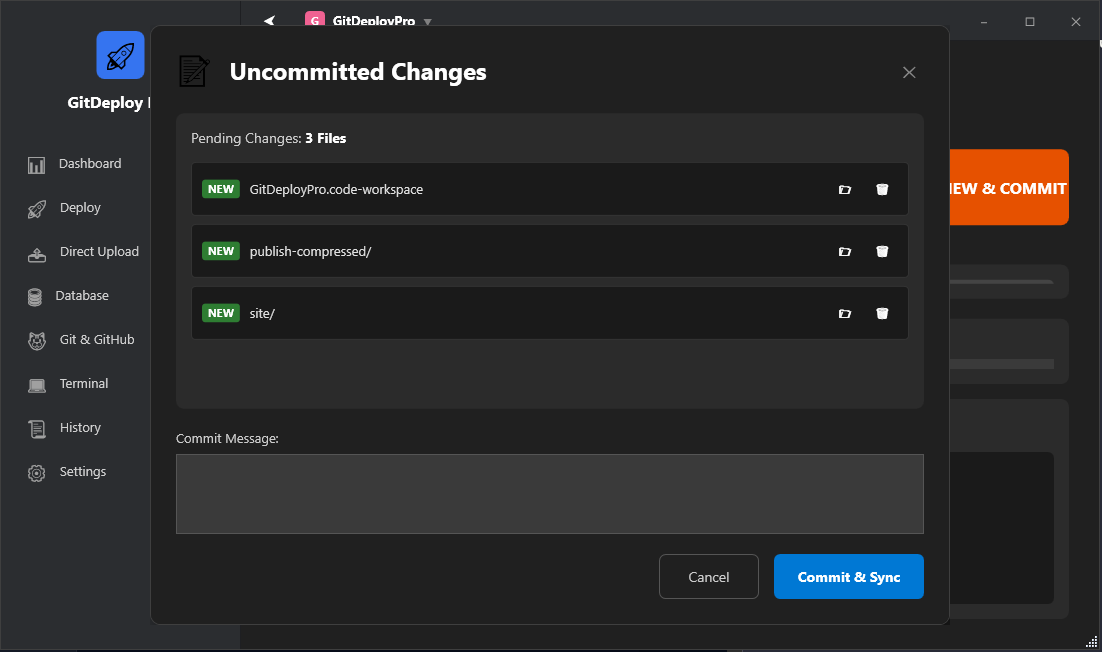
Commit window with staged file list and inline diff viewer before pushing.
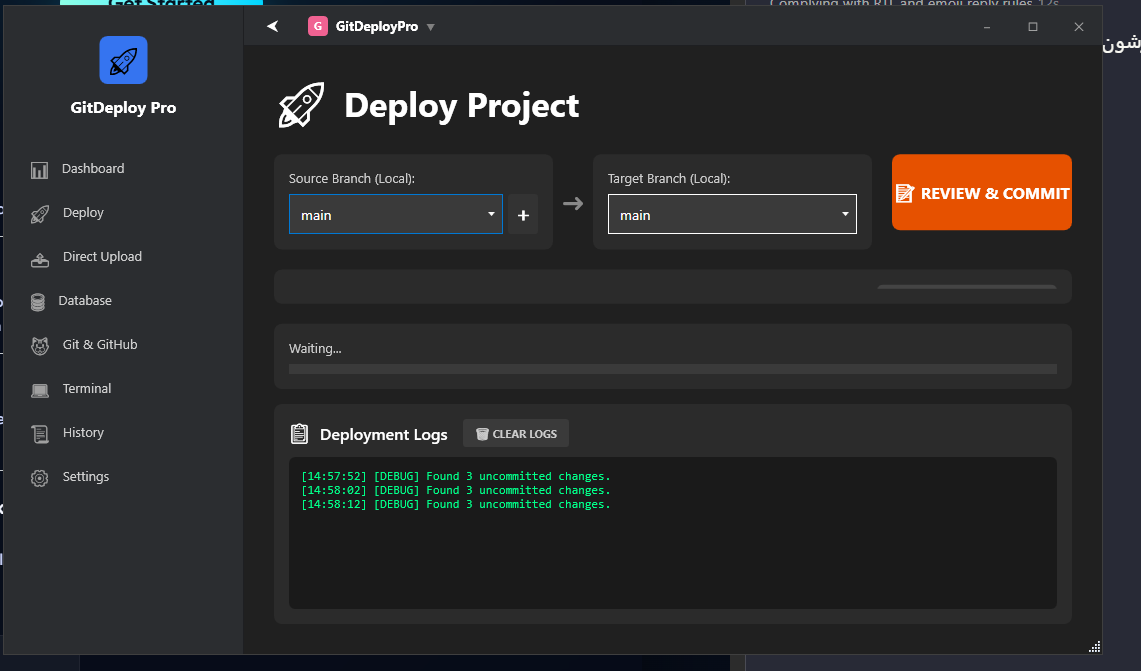
Deploy panel orchestrating bundles, hooks, and progress logging.
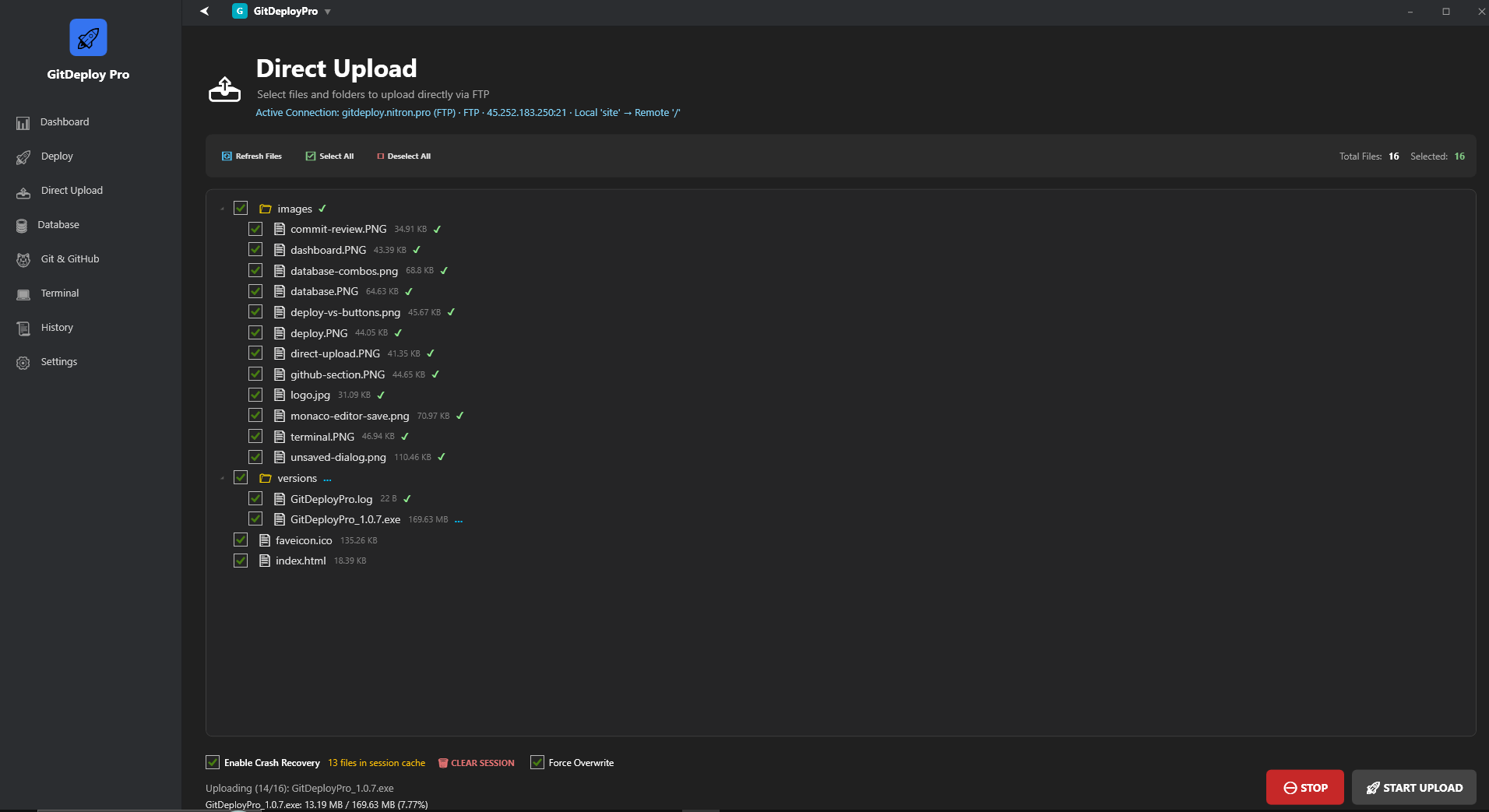
Direct Upload dashboard showing Path Mapping, session resume, and live transfer percentages.
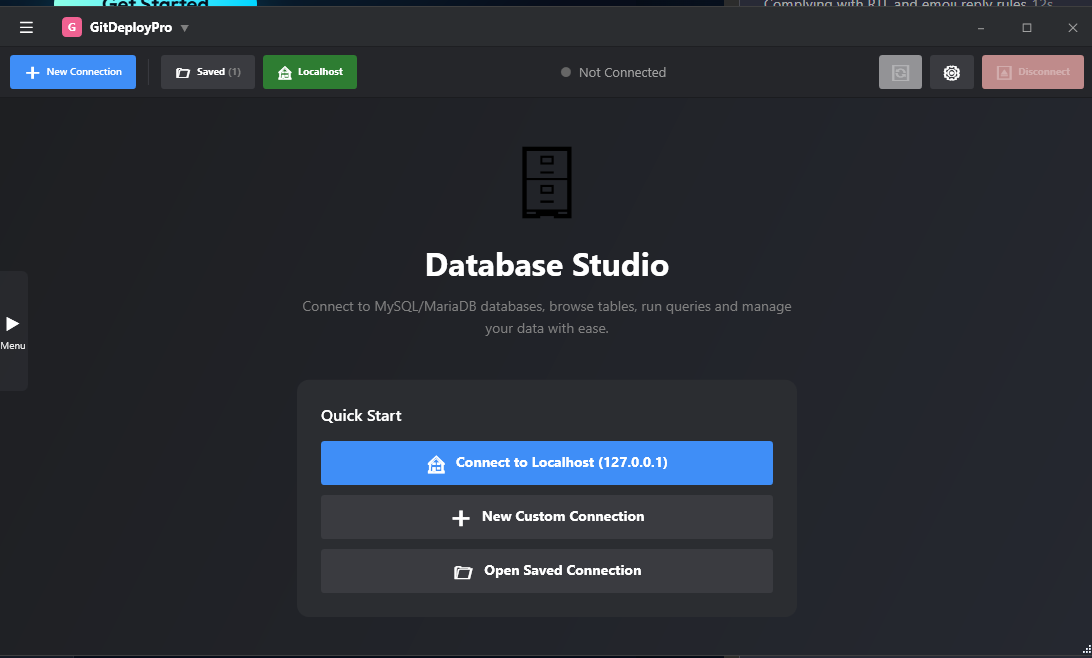
Database page with schema browser, SQL editor, and autocomplete suggestions.
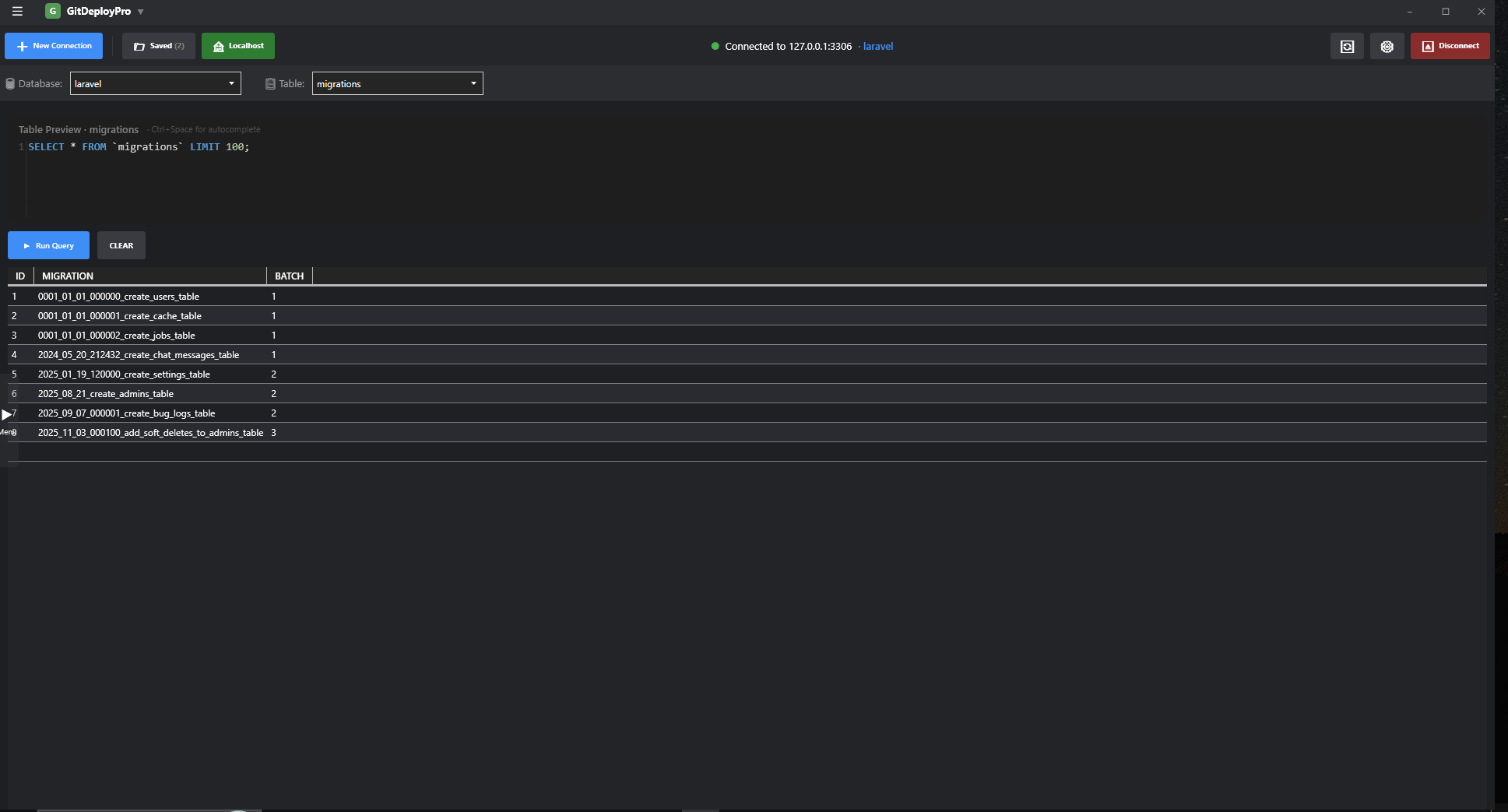
Fresh Database page layout: sidebar collapsed plus database/table ComboBoxes for more space.
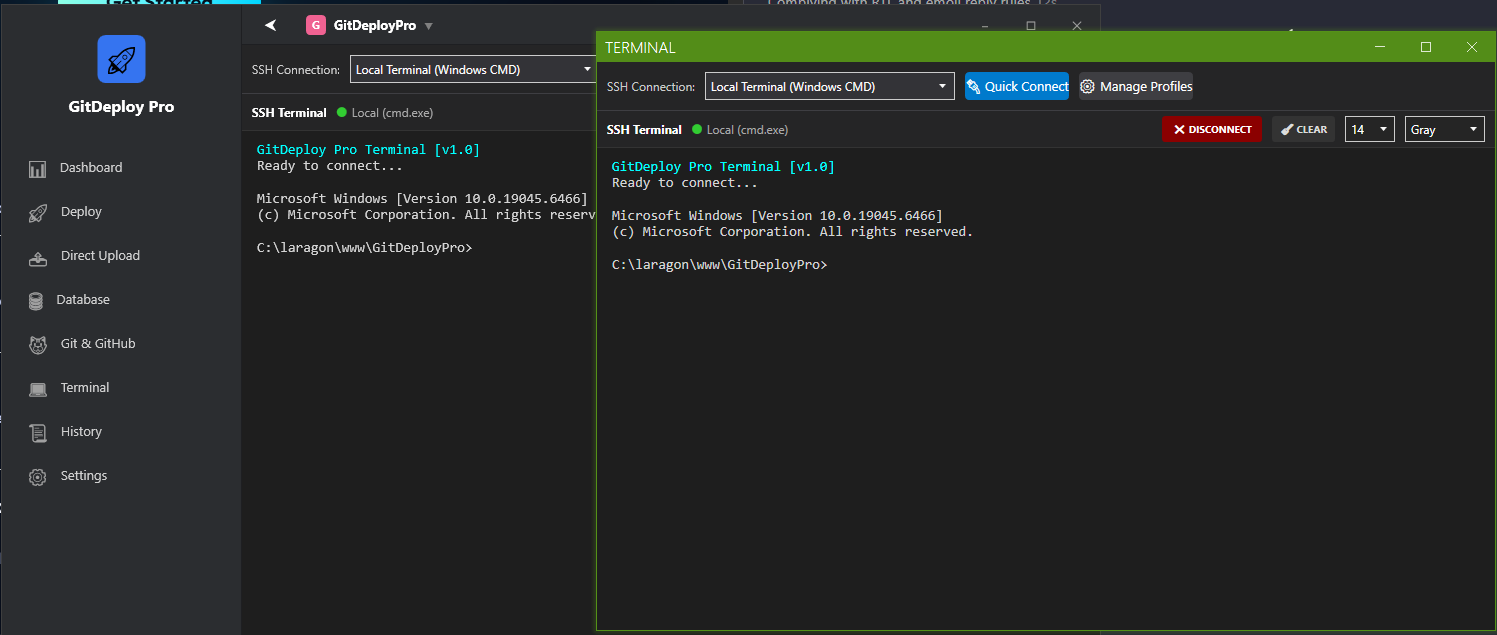
Detachable local terminal running PowerShell with ANSI colors and Ctrl+C support.
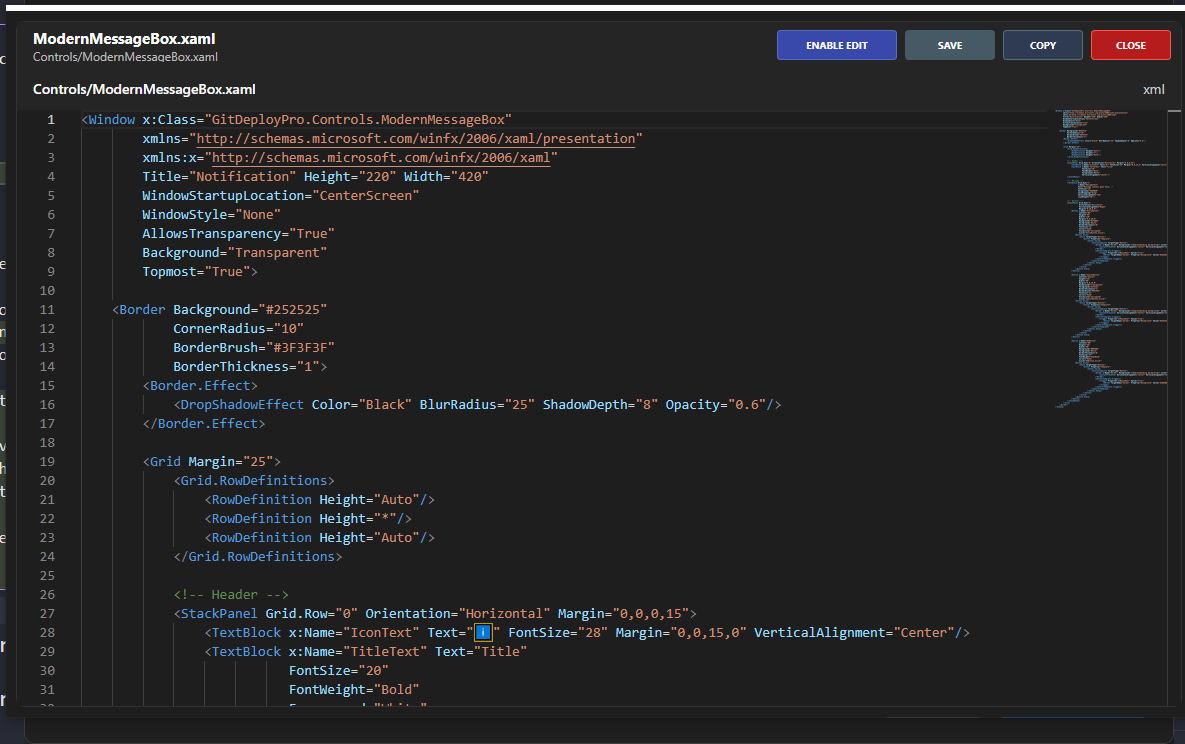
Full-screen Monaco editor with language detection plus save button that glows when dirty.
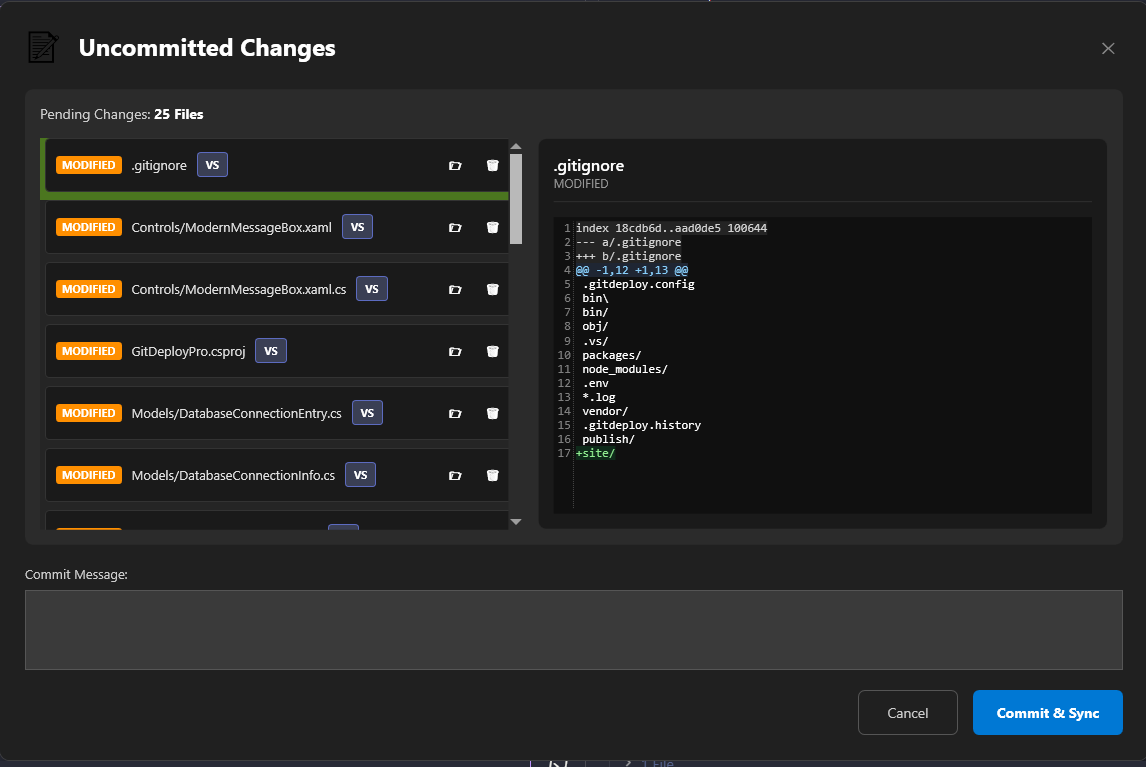
New “VS” buttons beside Deploy/Compare/Commit lists for one-click editor launch.
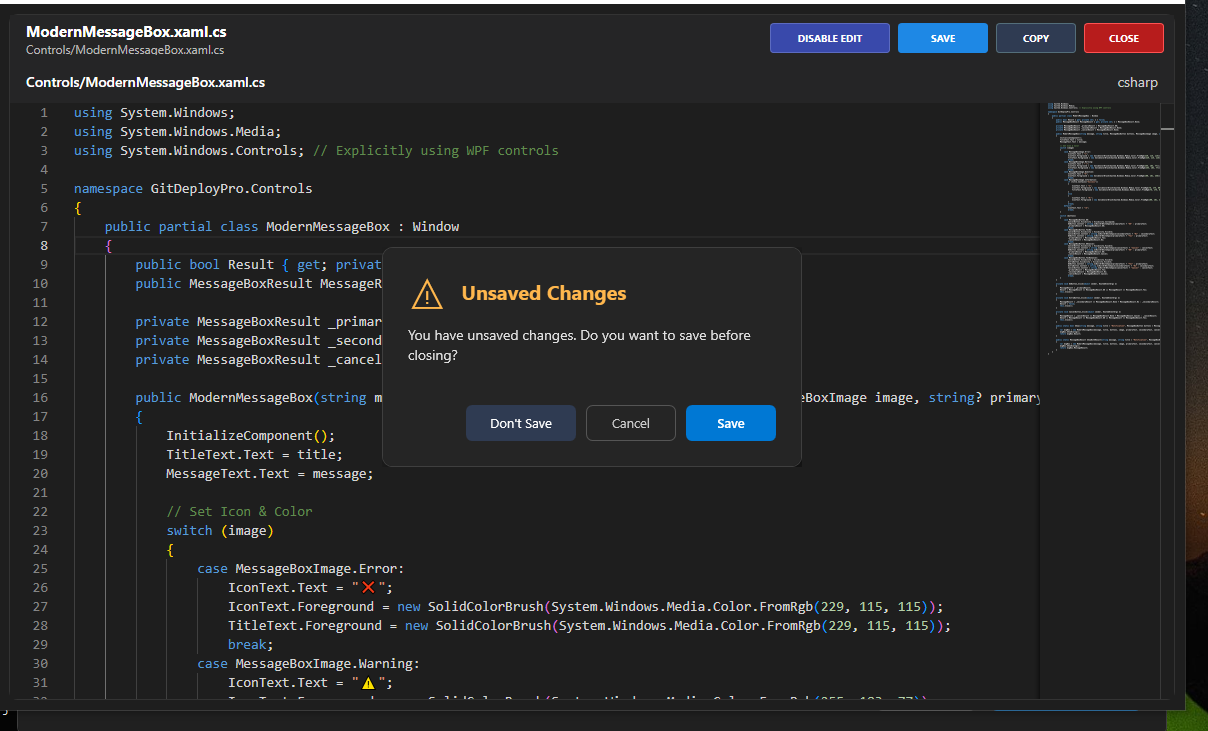
Custom Nitron dialog for Save / Don’t Save / Cancel when closing with unsaved edits.
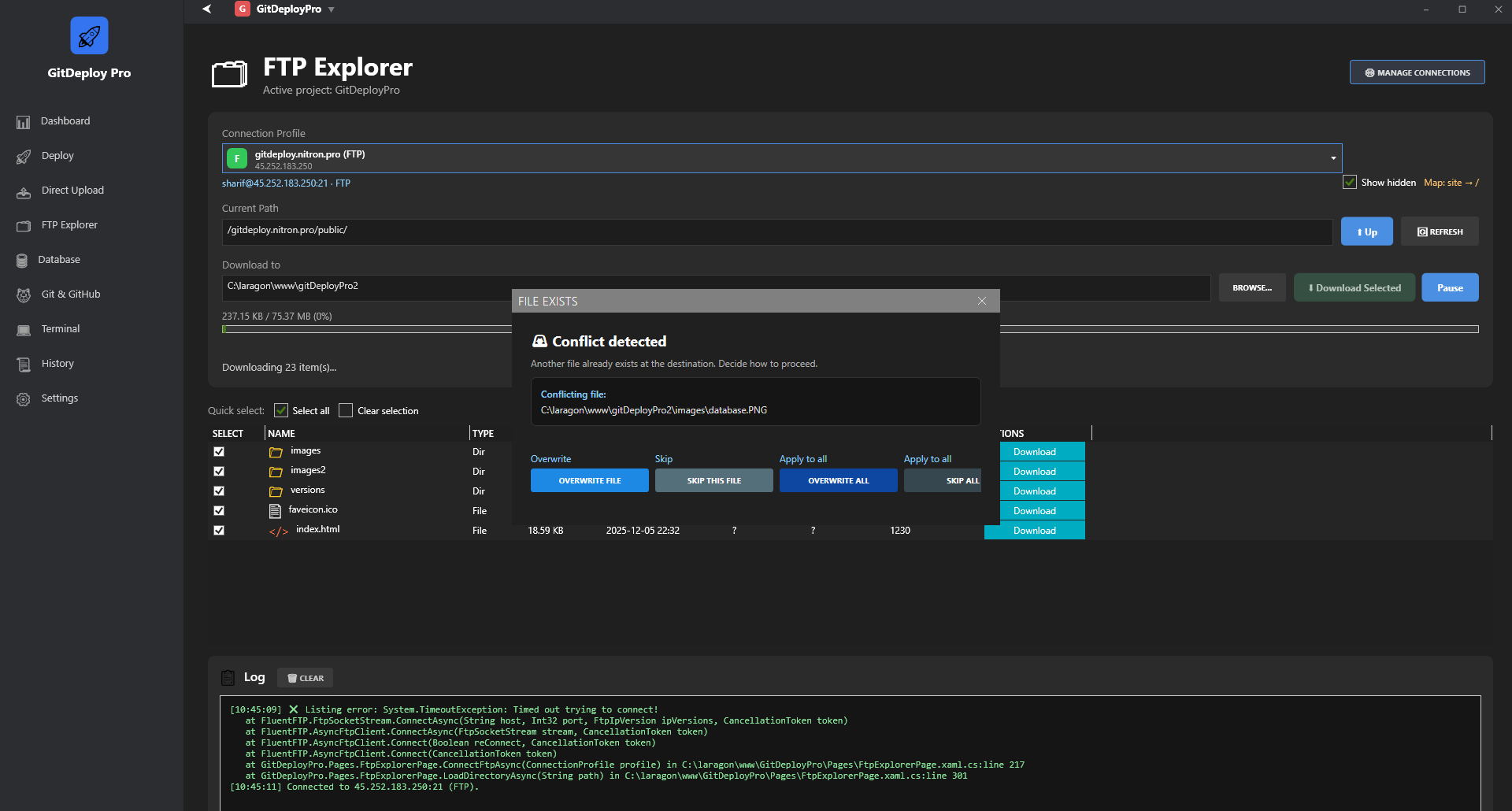
FTP Explorer with quick select toggles, neon Download/Pause buttons, and the enlarged conflict dialog.
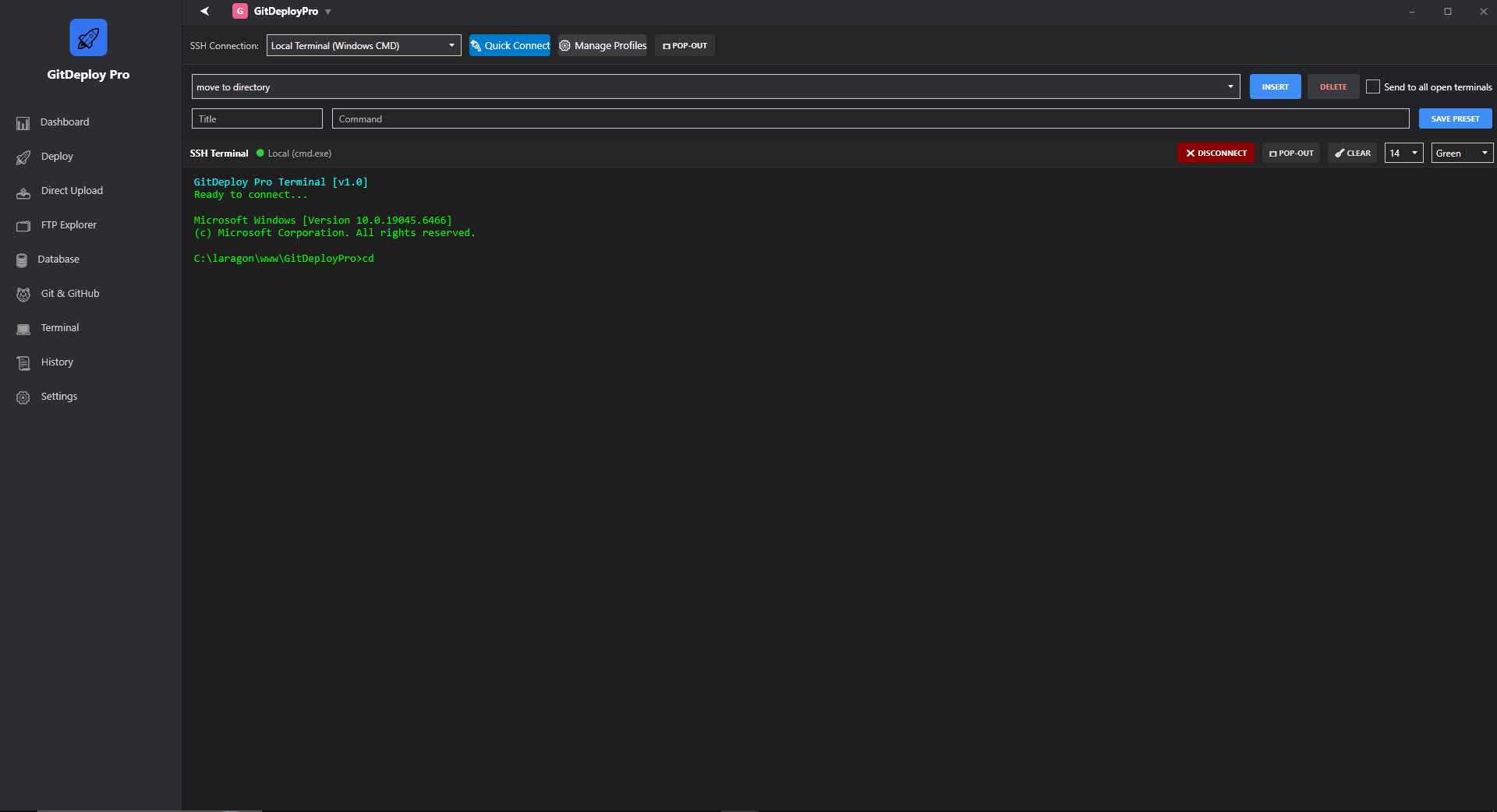
Command Presets dropdown with one-click insertion, optional broadcast setting, and matching UI in pop-out terminals.
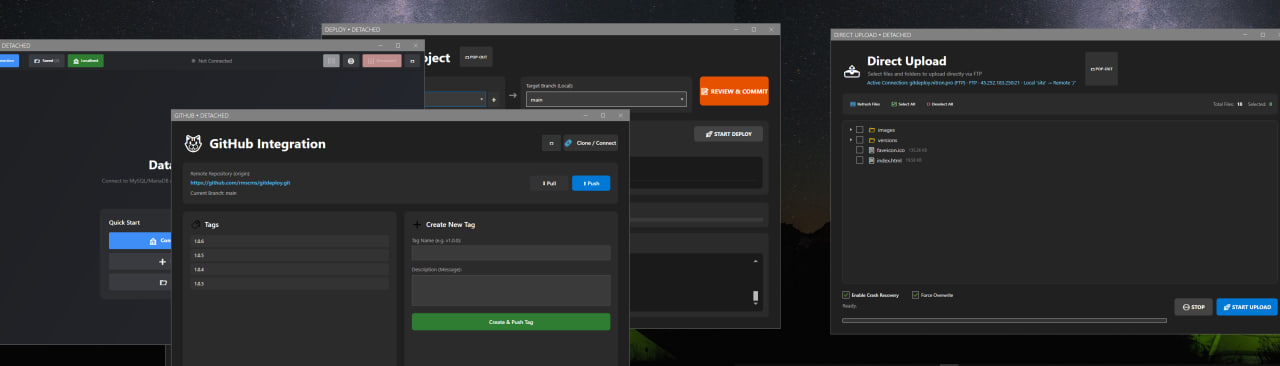
Deploy and Terminal pages popped out into separate Metro windows so you can pin them to other monitors.
Self-contained build v1.0.9 introducing pop-out pages for every module, combo-based Terminal presets with broadcast mode, and the refreshed FTP Explorer + command gallery.
Download for WindowsChangelog
What’s new in each build
Quick snapshot of the releases we’ve shipped so you know exactly what changed before installing.
v1.0.9
Released Dec 2025- Every core page (Deploy, Direct Upload, Database, Terminal, Git & FTP Explorer) now has a pop-out button for multi-monitor workflows.
- Terminal Command Presets gained a combo picker, quick Insert/Delete actions, and an optional “send to all open terminals” broadcast.
- FTP Explorer conforms to the new quick-select UI, tinted action buttons, resume-safe downloads, and an updated gallery capture.
- Error handling/refinements: pause/resume no longer throws global dialogs, and pop-out terminals stay in sync with presets.
v1.0.8
Released Dec 2025- FTP Explorer polish: neon Download/Pause buttons, “Select all / Clear selection” toggles, and a new gallery capture.
- Pause / Resume rewritten so partial downloads truly resume mid-file and update progress accurately.
- File conflict dialog enlarged with apply-to-all buttons plus a close (X) so canceling feels modern.
- Benign cancellations (pause/stop) no longer trigger the generic “Unexpected error” popup.
v1.0.7
Released Dec 2025- VSCode-like Monaco modal editor gets enable-edit toggle, formatters, and dirty-state Save button.
- VS launcher buttons beside Deploy/Compare/Commit diff lists plus double-click shortcuts.
- Direct Upload now shows the active connection banner and respects Path Mappings (e.g. site/ → /public_html).
- Real-time Direct Upload telemetry: file-level progress text, resume badges, and crash-safe sessions.
- Custom Nitron “Unsaved Changes” dialog with themed Save / Don’t Save / Cancel actions.
v1.0.6
Released Dec 2025- Redesigned Database Studio with top action bar, IntelliSense SQL editor, and saved connection modals.
- Improved sidebar UX: auto-collapse on Database page, reliable toggle buttons, hover cues.
- Local terminal upgrades: auto-connect, Ctrl+C passthrough, font controls, and compressed single-file publish.
v1.0.5
Released Nov 2025- Introduced detachable Terminal Window plus local PowerShell profile with clear-screen button.
- Fixed Git push/sync flows and enhanced history inspection dialogs.
- Smaller installer footprint and general stability patches ahead of Database launch.