GitDeploy Pro
GitDeploy Pro
Command every deployment from one desktop hub
Coordinate Git workflows, terminals, SSH sessions, database ops, and release automation for any language stack directly inside GitDeploy Pro.
Features
Git + Deploy Workflow
Sync repos, compare branches, and now pop entire Deploy or Git tabs into separate windows so you can watch multiple environments while pushes run.
Backup Scheduler Intelligence
Global scheduler with auto-start, missed-run recovery, live countdowns, active-task modal (stop buttons, row progress, logs), toast alerts, and mysqldump-grade exports (zip/tar.gz, health logs, roaming config).
Database Studio
Connect to local phpMyAdmin or remote MySQL/MariaDB, browse schemas, and launch the full SQL workspace in its own floating window for dedicated monitoring.
Integrated Terminal
Use detachable local PowerShell or SSH terminals with command presets, combo-box insertion, and broadcast mode to inject text into every open terminal without auto-running it.
Direct Upload & Rollback
Push single files or mapped folders, see live transfer progress, roll back instantly, and pop the Direct Upload board to another screen while FTP Explorer runs alongside.
FTP Explorer
Plan uploads, manage hidden files, handle quick select / clear toggles, and download with resume + conflict dialogs that match modern IDEs.

Nitron Team
Creators of GitDeploy Pro“We needed one Windows tool that covers Git, servers, terminals, and databases. GitDeploy Pro is that control center.”
Docs snapshot
Desktop-native toolkit for Git deploys
Each workspace tab inside the WPF app is built for a deployment workflow: from cloning repos and configuring remotes to opening a SQL editor or direct-uploading hotfix files. Documentation lives inside the product, but here’s a quick look at the main modules.
Git + History
Stage, commit, and push with inline diff viewing and a history timeline.
- Init or clone repos and wire remotes.
- Push button guidance for clean vs dirty trees.
- History details window for comparing releases.
Deploy & Direct Upload
Bundle files, run scripted tasks, or mirror an entire mapped folder via SSH/SFTP.
- Pre/post deploy hooks with status logging.
- Rollback button tied to History page checkpoints.
- Direct Upload tab with Path Mapping support, crash recovery, and live per-file progress.
Database Studio
MySQL/MariaDB browser with schema caching plus SQL IntelliSense.
- Quick schema refresh & table previews.
- AvalonEdit SQL editor with autocomplete.
- Saved connection profiles + localhost shortcut.
Terminal Control
Detachable PowerShell/SSH terminal with rich ANSI color parsing.
- Local profile auto-connect + Ctrl+C passthrough.
- Font tuning, clear screen, multi-connection list.
- Pop-out window synced with main workspace.
Screenshots
Explore the app UI
Fresh captures from the current WPF build running on Windows 11. Each screen mirrors the modules you’ll use daily.
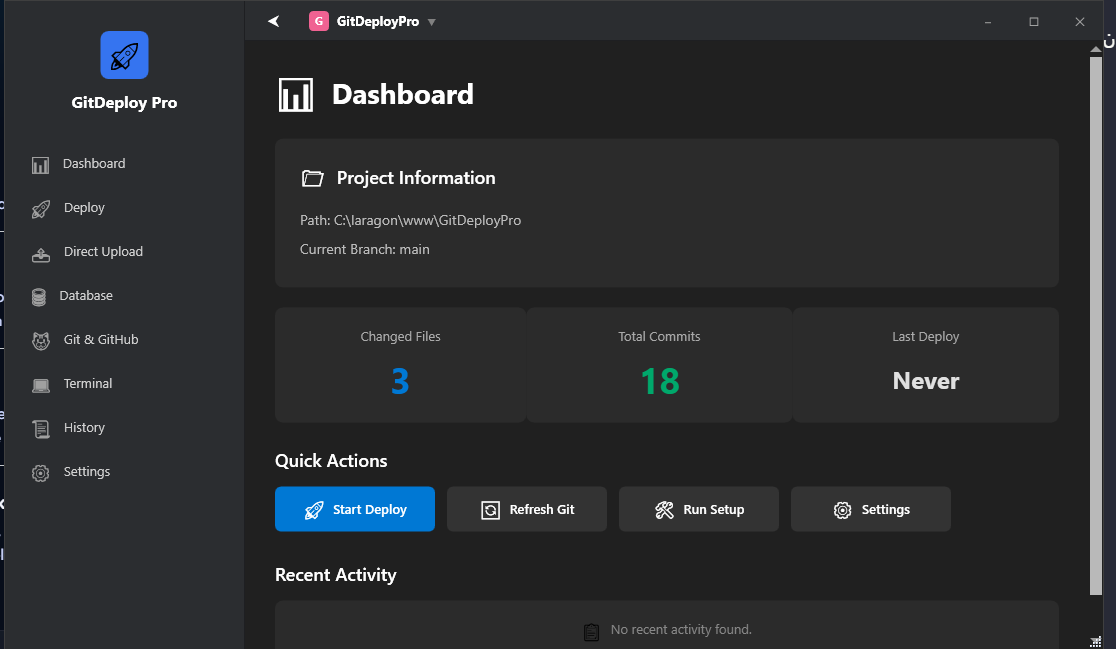
Dashboard & quick actions: repo status, environment health, and primary shortcuts.
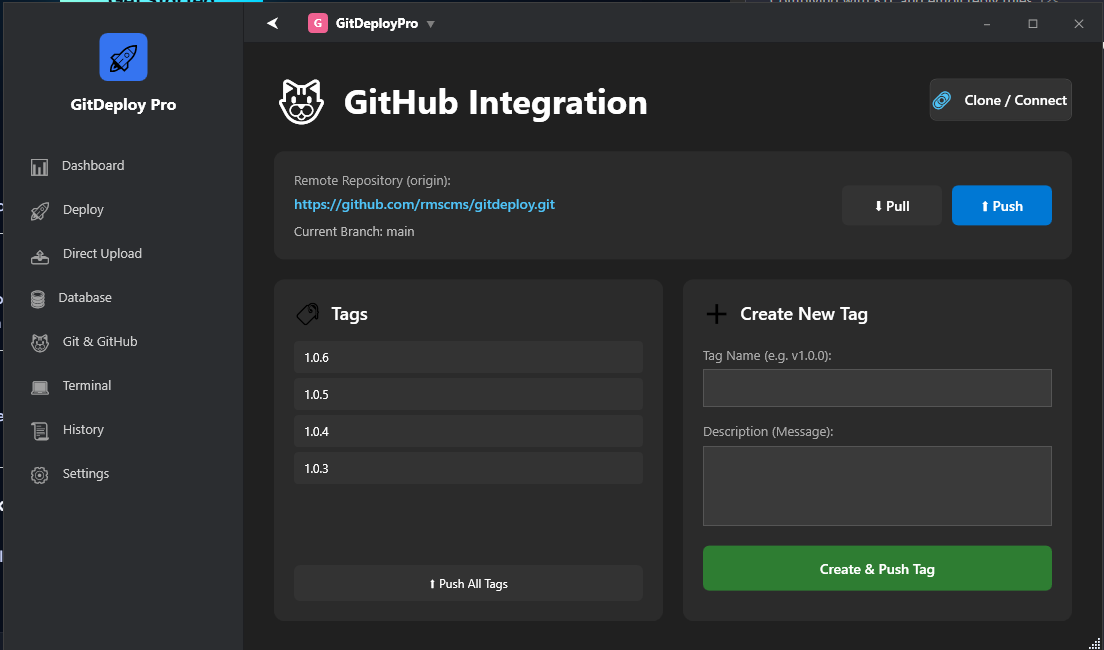
Git configuration wizard showing remotes, SSH key guidance, and auth helpers.
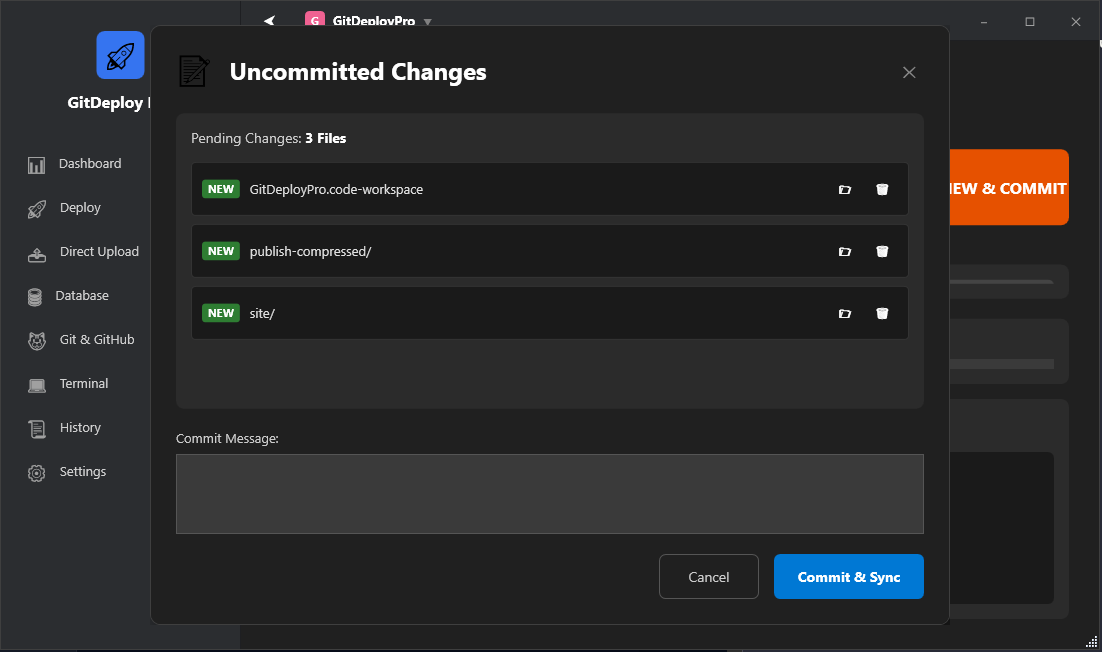
Commit window with staged file list and inline diff viewer before pushing.
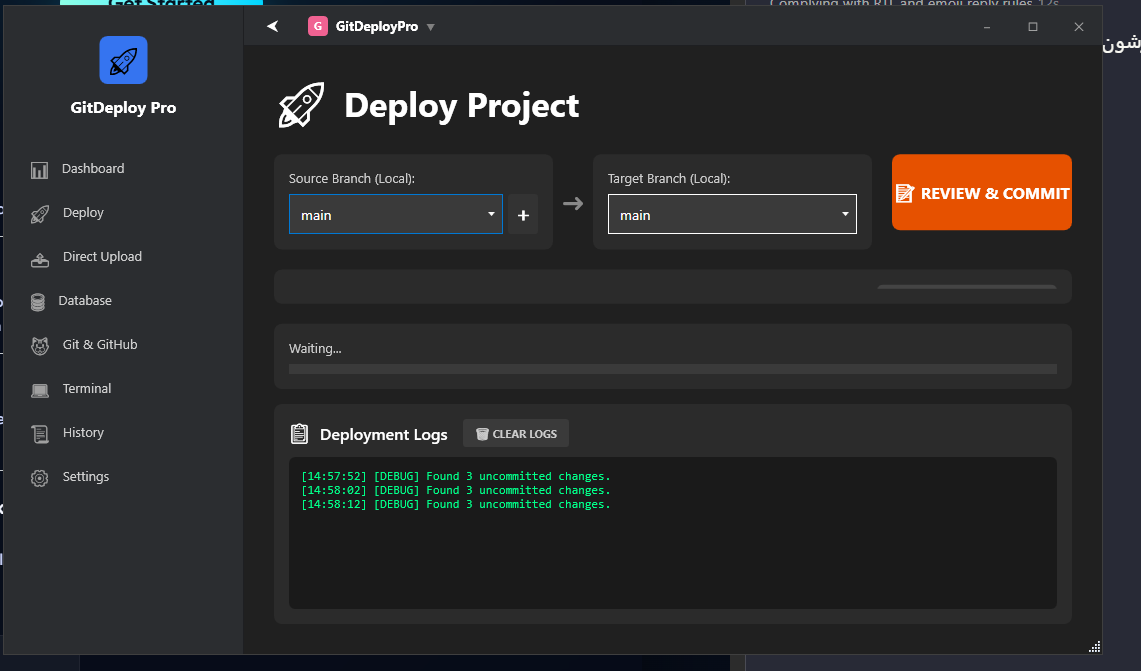
Deploy panel orchestrating bundles, hooks, and progress logging.
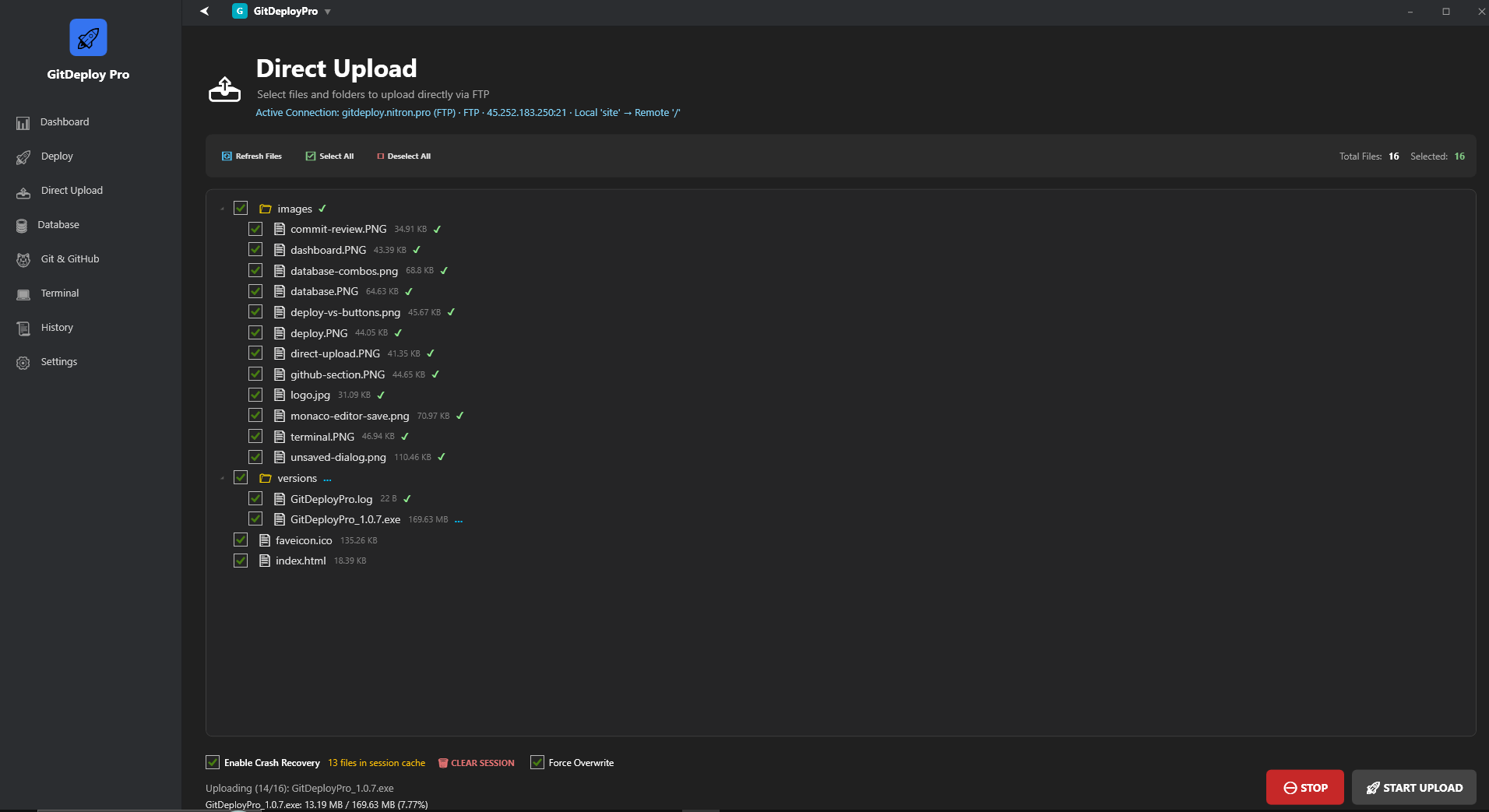
Direct Upload dashboard showing Path Mapping, session resume, and live transfer percentages.
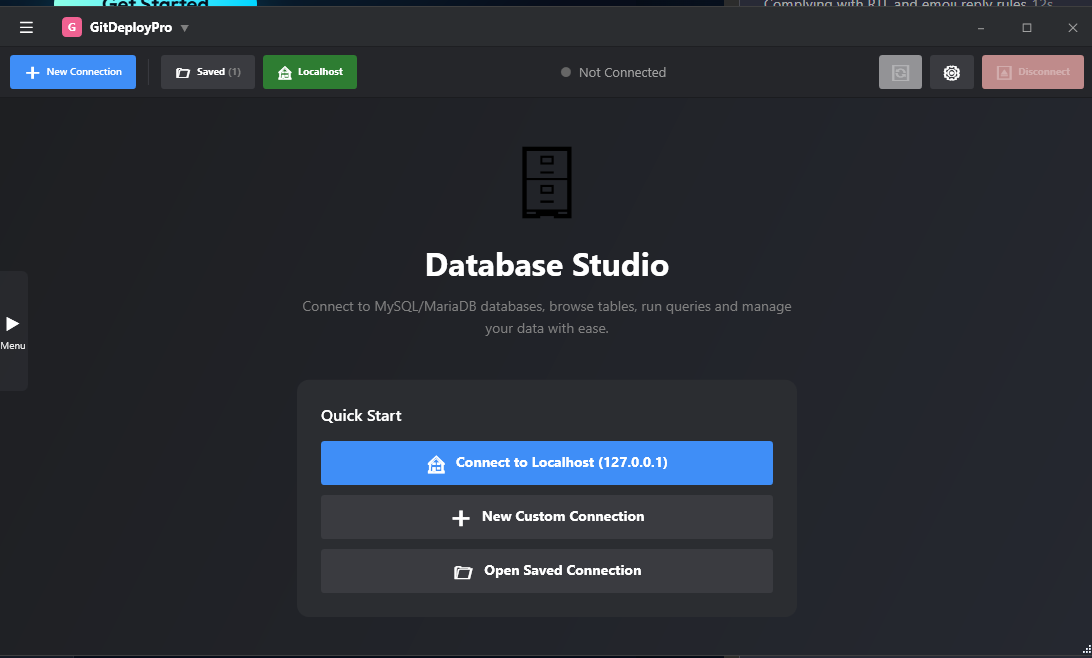
Database page with schema browser, SQL editor, and autocomplete suggestions.
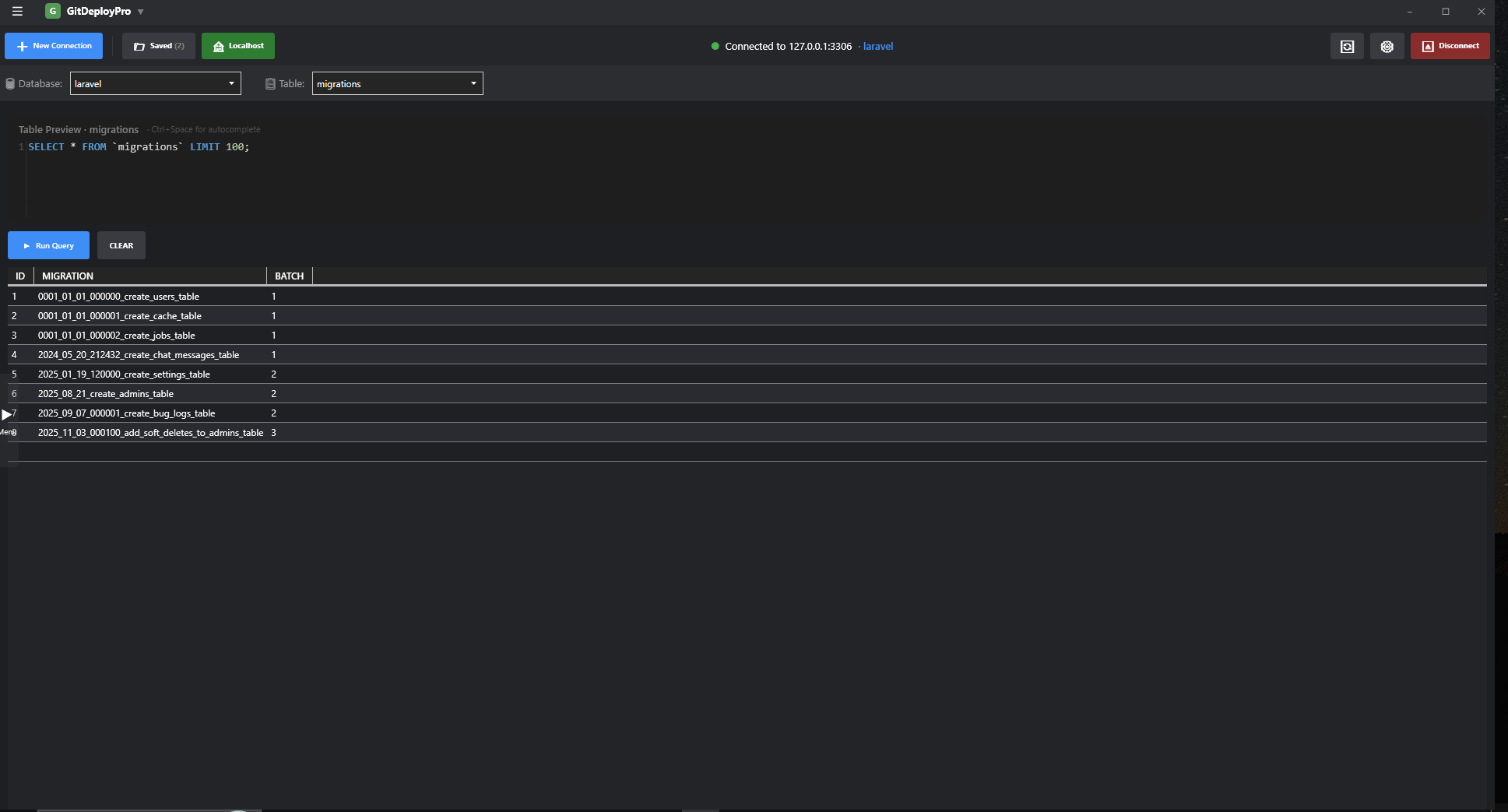
Fresh Database page layout: sidebar collapsed plus database/table ComboBoxes for more space.
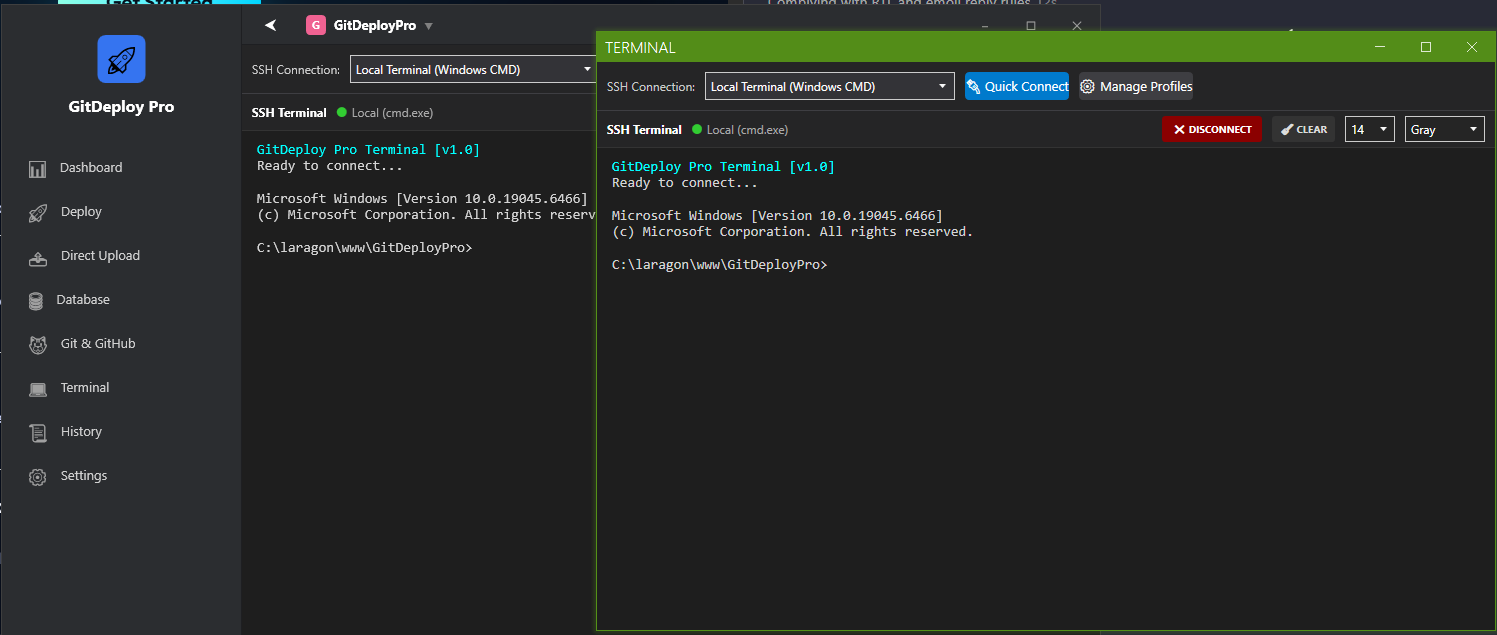
Detachable local terminal running PowerShell with ANSI colors and Ctrl+C support.
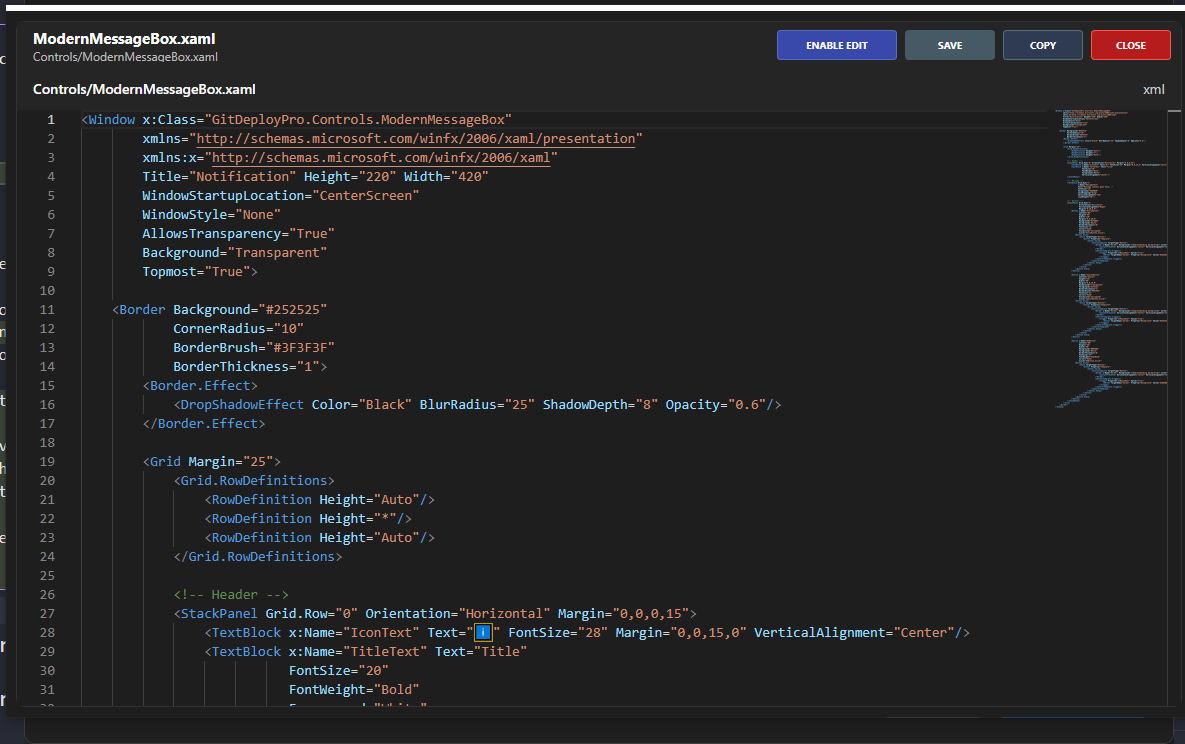
Full-screen Monaco editor with language detection plus save button that glows when dirty.
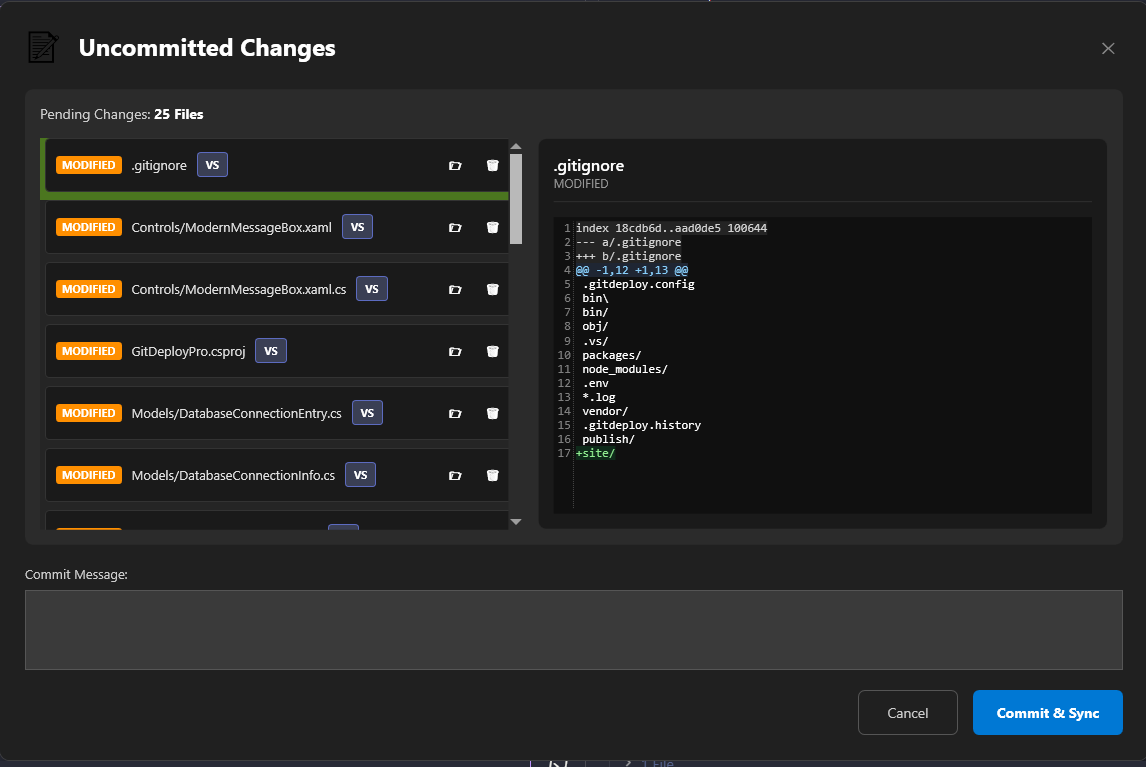
New “VS” buttons beside Deploy/Compare/Commit lists for one-click editor launch.
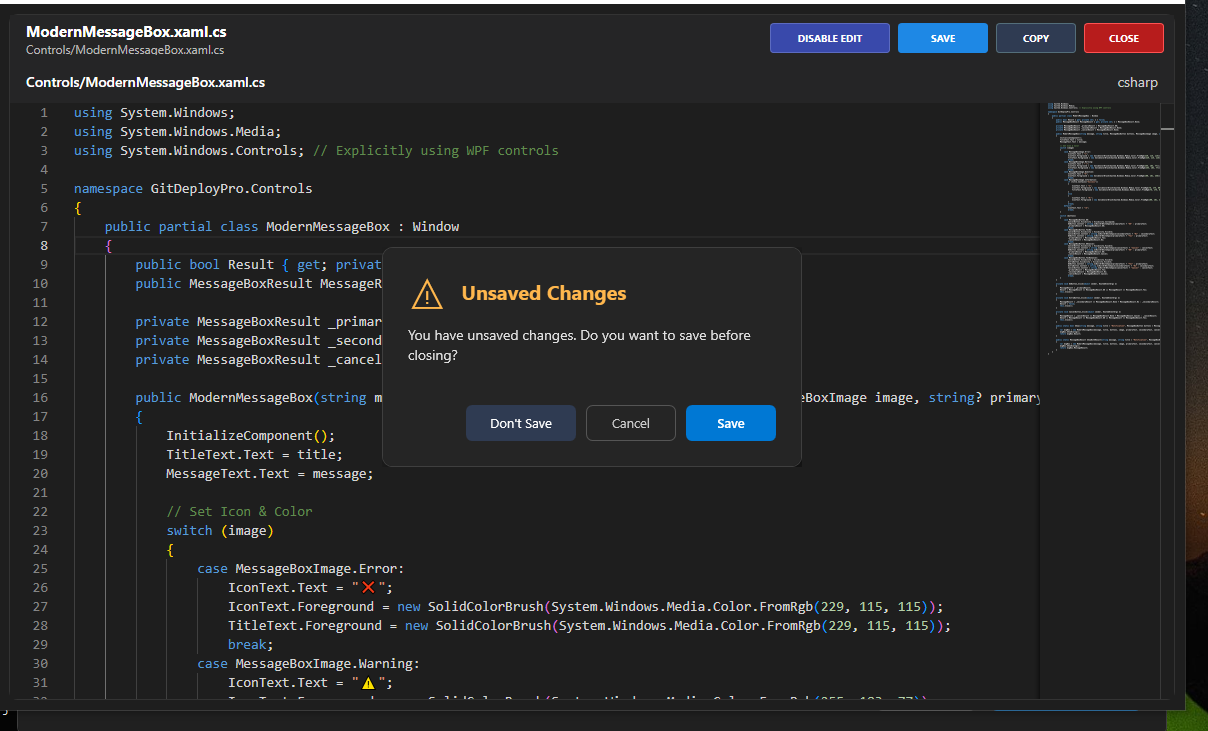
Custom Nitron dialog for Save / Don’t Save / Cancel when closing with unsaved edits.
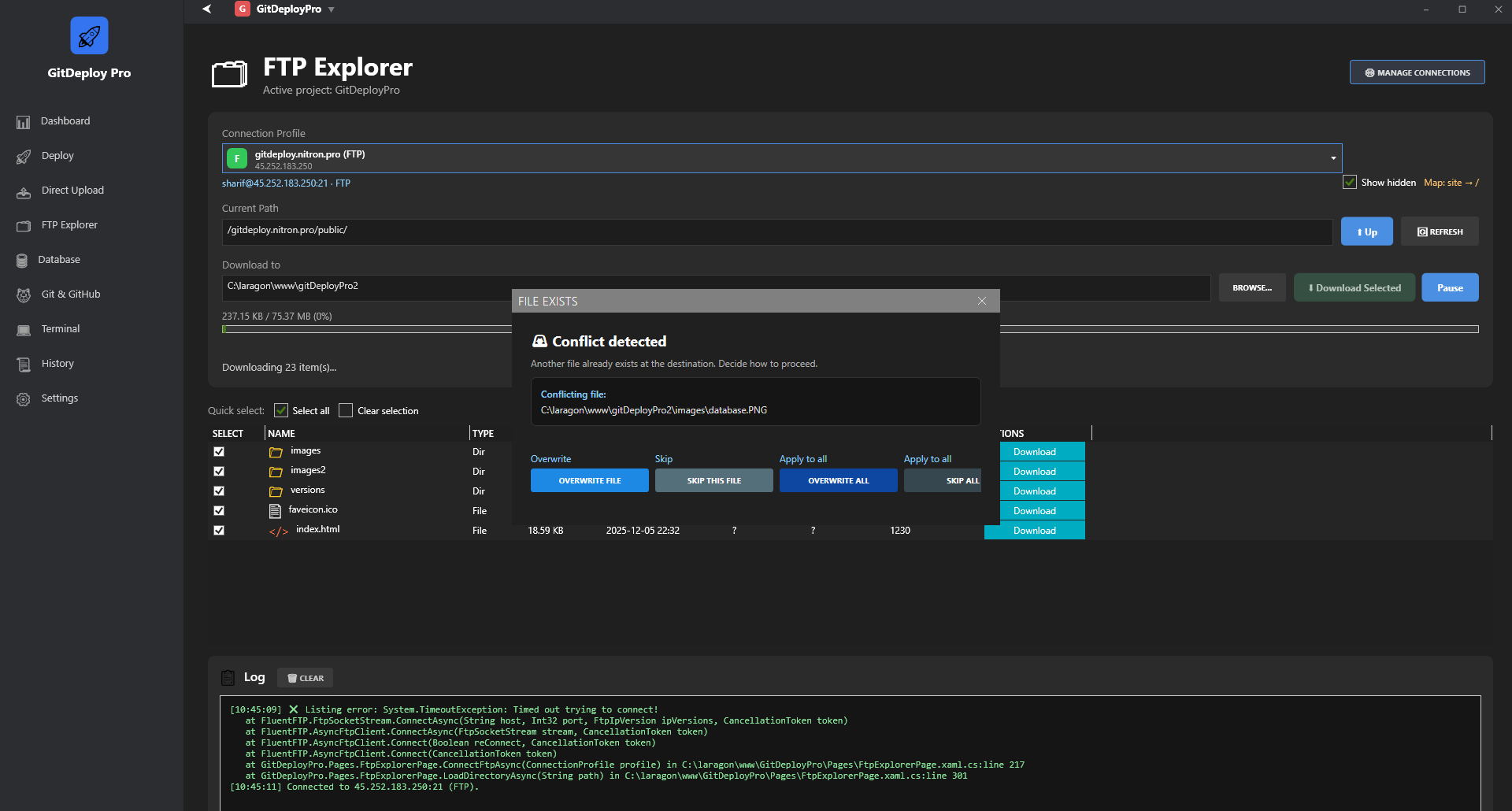
FTP Explorer with quick select toggles, neon Download/Pause buttons, and the enlarged conflict dialog.
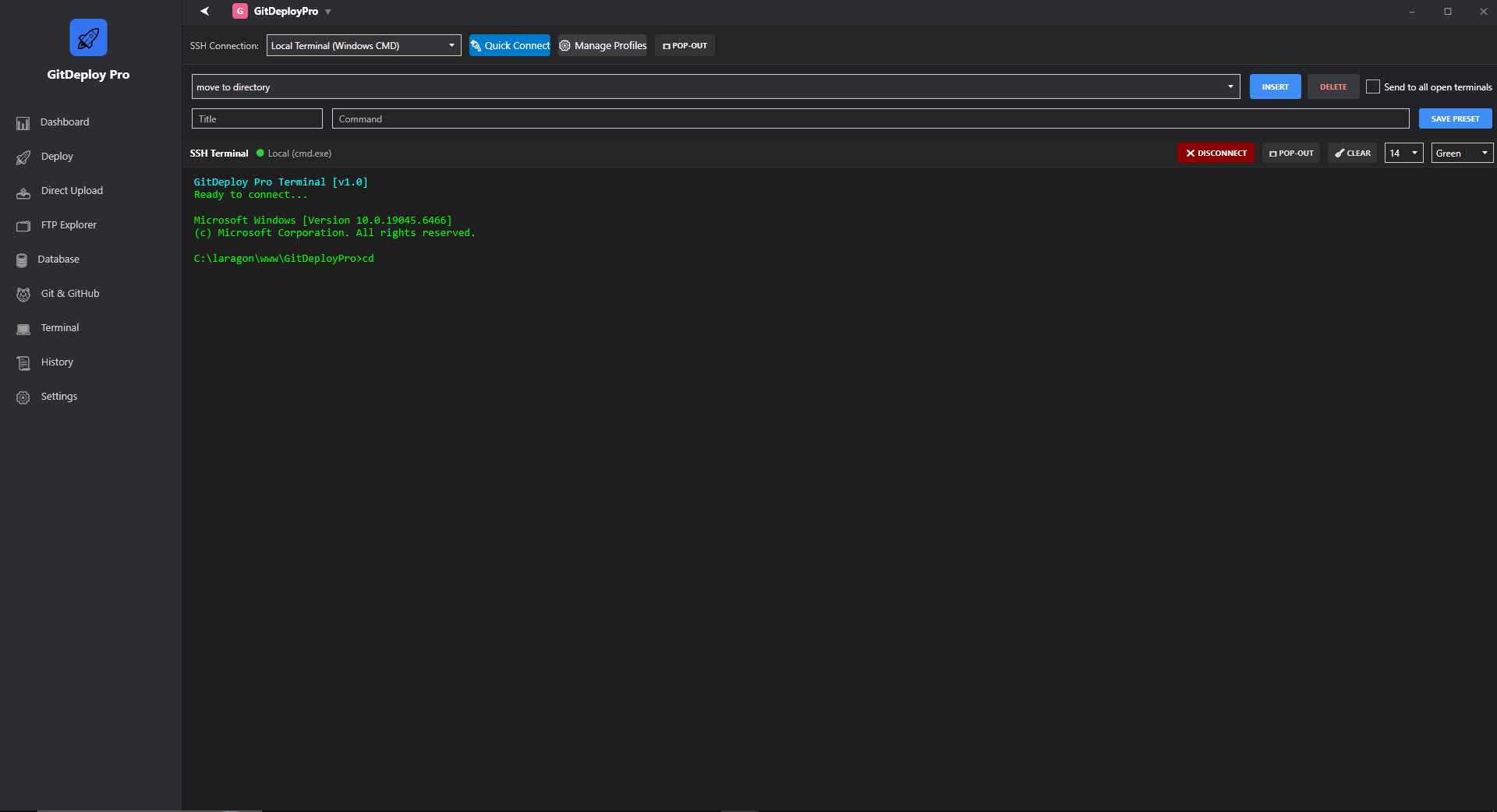
Command Presets dropdown with one-click insertion, optional broadcast setting, and matching UI in pop-out terminals.
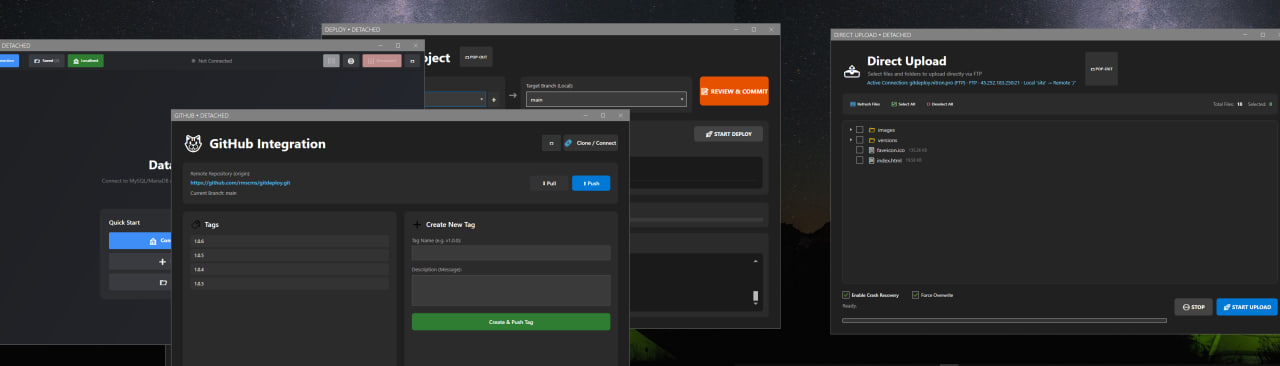
Deploy and Terminal pages popped out into separate Metro windows so you can pin them to other monitors.
Self-contained build v1.1.6 with terminal improvements: Ctrl+V paste, carriage return handling, blinking cursor, and .NET runtime included (no install required).
Download GitDeployPro 1.1.6Changelog
What’s new in each build
Quick snapshot of the releases we’ve shipped so you know exactly what changed before installing.
v1.1.6
Released Dec 2025- Terminal now supports Ctrl+V for pasting commands from clipboard in both SSH and local terminals.
- Fixed carriage return (\r) handling so command history navigation (arrow keys) properly replaces the current line instead of appending.
- Terminal cursor (caret) is now always visible and blinking, even when switching between terminal panels.
- Improved terminal PTY settings (ICANON, ECHO, IXON/IXOFF) for better compatibility with remote shells.
- Escape sequences (cursor movement, line clearing) are now properly filtered to prevent visual artifacts.
v1.1.5
Released Dec 2025- Terminal page now hosts multiple terminals inside the main grid (no more overlapping app windows), with auto layout (1x1, 1x2, 2x2, 2x3, 3x3) and per-panel resize thumb.
- Each terminal panel has a "Detach" button to pop it out as a separate window while keeping the rest in the grid.
- Active connection indicator (🟢) appears in Session Manager tree, and multiple terminals per connection are supported.
- Local Terminal button added to the toolbar to open a PowerShell/CMD session in the current project folder inside the grid.
- Terminal caret is now visible (green, blinking) and stays focused after output for smoother typing.
v1.1.4
Released Dec 2025- Unified path handling logic across Deploy, Direct Upload, and FTP Explorer pages to ensure consistent remote path construction.
- All pages now correctly preserve hostnames in remote paths (e.g., gitdeploy.nitron.pro/public) and handle trailing slashes properly for files vs directories.
- Increased timeout settings to 5 minutes for large file operations across all FTP/SFTP operations.
- Path combination logic now consistently applied: base remote path is always prepended to mapping paths, ensuring correct file locations on server.
v1.1.3
Released Dec 2025- Fixed remote path construction to preserve host names (e.g., gitdeploy.nitron.pro/public) and correctly handle trailing slashes for files vs directories.
- Added upload log console at the bottom of Direct Upload page showing real-time remote paths for each file being uploaded.
- Direct Upload now supports .gitignore patterns (e.g., *.zip, *.log) for filtering files during scan.
- Increased timeout settings for large file uploads (5 minutes) with improved error handling and retry logic.
- Enhanced upload error messages to include full error details, remote path, error type, and stack trace for better debugging.
- Fixed path combination logic to support all root path and mapping path combinations correctly (e.g., root="/", map="api" or root="host/path/", map="/" or "api").
v1.1.2
Released Dec 2025- Direct Upload and Deploy now correctly use Connection Profile's RemotePath instead of legacy project config, ensuring Path Mappings work as expected.
- Terminal page filters to SSH/SFTP connections only (FTP profiles excluded) and adds a search box to quickly find connections by name, host, or username.
- Upload error dialogs now show the exact remote path where the file failed and clear error messages for easier troubleshooting.
- Added Explorer button next to Project Selector in the top toolbar to quickly open the current project folder in Windows Explorer.
- Fixed RemotePath resolution across all upload/deploy flows to always prioritize Connection Profile settings over project-level defaults.
v1.1.1
Released Dec 2025- Database Studio now includes a Create Database card with server-driven charset + collation pickers so new schemas align with production standards.
- Import workflow requires choosing an existing database from the live server list and surfaces warnings instead of silently spinning up new schemas from export file names.
- Drop & Recreate mode preserves the prior charset/collation before rebuilding and logs each step so you know exactly what happens before data streams in.
- FTP Explorer's connect button now flips to Disconnect with a high-contrast style once you're online, making it obvious when a session is active and removing the washed-out disabled state.
- Connection Manager can import Navicat `.ncx/.xml` exports so migrating saved database profiles is a two-click process.
- Database Manager gets a "SHOW FULL PROCESSLIST" monitor with refresh so you can watch long-running queries without leaving GitDeploy Pro.
v1.1.0
Released Dec 2025- Scheduler auto-starts, shows countdowns, streams logs, and exposes an Active Tasks modal with stop controls plus recent history pulled from roaming config.
- mysqldump-level backup engine adds SET statements, locking, batched inserts, proper escaping, and zip/tar.gz outputs with health counters.
- Database Manager imports archives (.sql, zip, tar.gz), offers continue-on-error mode, configurable timeouts, truncate/empty helpers, and table search without extra queries.
- Windows notifications fire on failed schedules, row progress mirrors Run Now, and NextRun timings persist globally across projects.
- site/versions now ships a full publish zip for GitDeployPro 1.1.0.
v1.0.9
Released Dec 2025- Every core page (Deploy, Direct Upload, Database, Terminal, Git & FTP Explorer) now has a pop-out button for multi-monitor workflows.
- Terminal Command Presets gained a combo picker, quick Insert/Delete actions, and an optional “send to all open terminals” broadcast.
- FTP Explorer conforms to the new quick-select UI, tinted action buttons, resume-safe downloads, and an updated gallery capture.
- Error handling/refinements: pause/resume no longer throws global dialogs, and pop-out terminals stay in sync with presets.
v1.0.8
Released Dec 2025- FTP Explorer polish: neon Download/Pause buttons, “Select all / Clear selection” toggles, and a new gallery capture.
- Pause / Resume rewritten so partial downloads truly resume mid-file and update progress accurately.
- File conflict dialog enlarged with apply-to-all buttons plus a close (X) so canceling feels modern.
- Benign cancellations (pause/stop) no longer trigger the generic “Unexpected error” popup.
v1.0.7
Released Dec 2025- VSCode-like Monaco modal editor gets enable-edit toggle, formatters, and dirty-state Save button.
- VS launcher buttons beside Deploy/Compare/Commit diff lists plus double-click shortcuts.
- Direct Upload now shows the active connection banner and respects Path Mappings (e.g. site/ → /public_html).
- Real-time Direct Upload telemetry: file-level progress text, resume badges, and crash-safe sessions.
- Custom Nitron “Unsaved Changes” dialog with themed Save / Don’t Save / Cancel actions.
v1.0.6
Released Dec 2025- Redesigned Database Studio with top action bar, IntelliSense SQL editor, and saved connection modals.
- Improved sidebar UX: auto-collapse on Database page, reliable toggle buttons, hover cues.
- Local terminal upgrades: auto-connect, Ctrl+C passthrough, font controls, and compressed single-file publish.
v1.0.5
Released Nov 2025- Introduced detachable Terminal Window plus local PowerShell profile with clear-screen button.
- Fixed Git push/sync flows and enhanced history inspection dialogs.
- Smaller installer footprint and general stability patches ahead of Database launch.